Player's Guide · 03
Controls
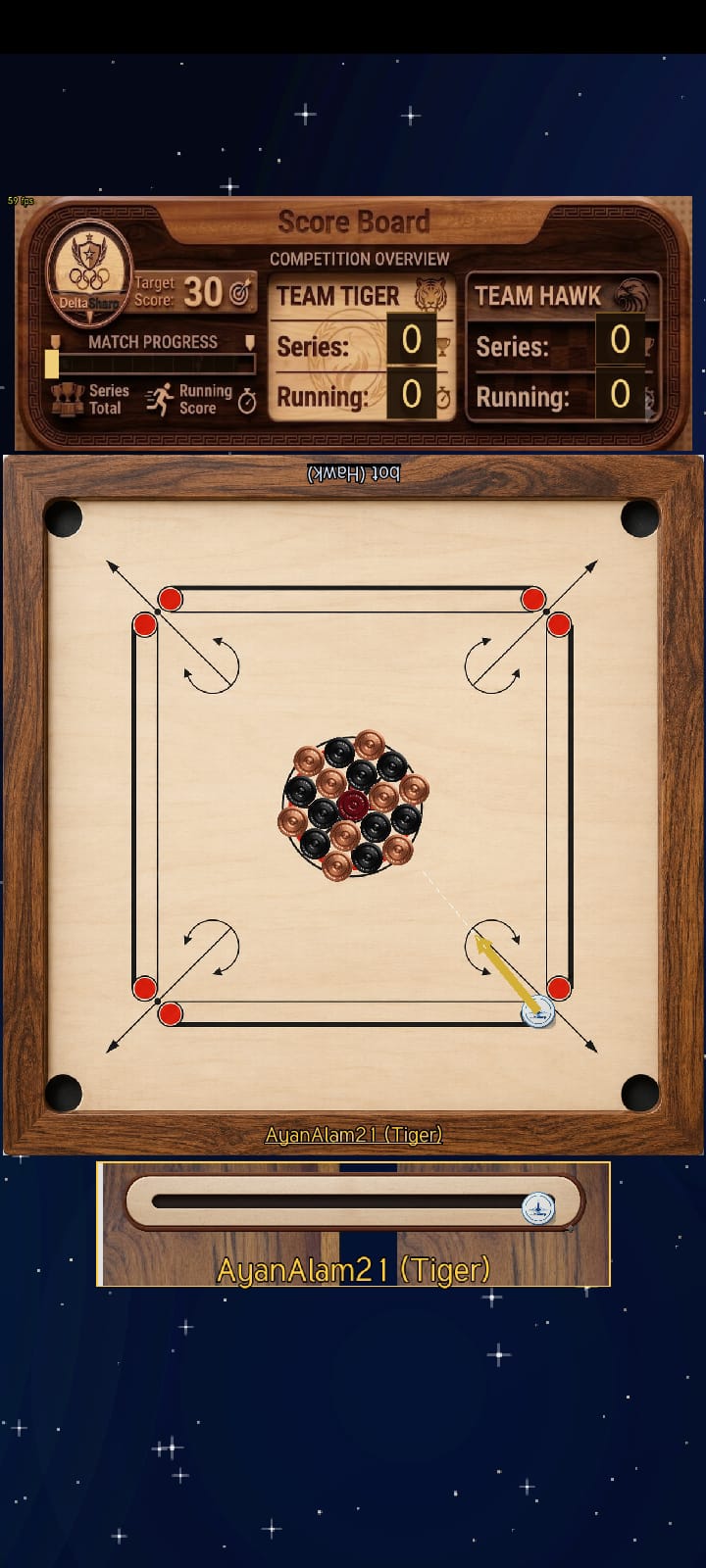
Drag from the striker to aim and set power; slide the knob below the board to position the striker on your baseline.
| Action | Desktop | Android | |
|---|---|---|---|
| Aim & shoot | Drag from the striker and release — the farther you pull back, the harder the shot. | Touch and drag from the striker, then lift your finger to fire. | |
| Play the recommended shot | Double-click the striker to auto-play the yellow-highlighted suggested move, when one is shown. | Double-tap the striker to play the suggested move. | |
| Position the striker | Drag the slider along your baseline to set where the striker sits. | Drag the baseline slider with your finger. | |
| Rotate the opening layout | Before your first shot, drag any coin in the starting rack, or press ← / →, to spin the cluster around the Queen. | Before your first shot, drag any coin in the starting rack to spin the cluster. | |
| Zoom in / out | Ctrl + mouse wheel — zoom anchors on the cursor. | Press ← / → during setup to spin the coin cluster. | Not available — the standard layout is used. |
| Zoom in / out | Mouse wheel — zoom anchors on the cursor. | Pinch — zoom anchors on the pinch point. | |
| Pan the view | Drag an empty area of the board. | Drag with one finger. | |
| Reset the view | Tap the fixed reset-zoom button to return to the default framing. | ||
| Pause / go back | Press Esc. | Use the system Back button. | |
Tip: the harder you pull the striker back before releasing, the more speed it launches with — a short tap-drag gives a gentle nudge, a long pull sends it flying the length of the board.